
01304 827609 info@use-ip.co.uk Find us

Cable damaged, want to route cameras through the good Cat 5 cable, but will only show 1 camera

krome1872

New Member
Messages
4
Points
1
I have a Hikvision 8 port NVR with 4 cameras.
They are powered via PoE
One of the cameras started to have issues, and I managed to trace the fault to a long section of CAT 5 that runs outside. There are 2 CAT 5 cables that run in tandem to the two cameras in the garden.

I realise that it would be better to replace the 2 outdoor cables and add a third cable to get 3 cameras, however at this point in time it's not feasible.
What I did was find an old router and turned off the DHCP on this.
I then used another power source to power the 3 cameras.
I then connected the good cat 5 connection and the 3 camera RJ45 into the back of this and I can only get one camera recognised at any one time.
The router is not giving an IP address as this should be done by the hikvision NVR.
Does anyone know what is going on?

Many thanks
 
I have a Hikvision 8 port NVR with 4 cameras.
They are powered via PoE
One of the cameras started to have issues, and I managed to trace the fault to a long section of CAT 5 that runs outside. There are 2 CAT 5 cables that run in tandem to the two cameras in the garden.

I realise that it would be better to replace the 2 outdoor cables and add a third cable to get 3 cameras, however at this point in time it's not feasible.
What I did was find an old router and turned off the DHCP on this.
I then used another power source to power the 3 cameras.
I then connected the good cat 5 connection and the 3 camera RJ45 into the back of this and I can only get one camera recognised at any one time.
The router is not giving an IP address as this should be done by the hikvision NVR.
Does anyone know what is going on?

Many thanks
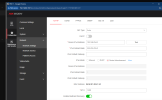
You have to assign IP address to each camera separately from those given by the NVR, ie 192.168.1.2, 192.168.1.3, 192.168.1.4
The NVR cannot assign IP addresses to multiple cameras over one connected cable unless things have changed since I setup my system.
Add them to the NVR manually, not via PnP.

Screen shot of NVR Device Access page.
Screenshot 2025-09-13 132522.png
 
I then connected the good cat 5 connection and the 3 camera RJ45 into the back of this and I can only get one camera recognised at any one time.

Each PoE port on the NVR will only support 1 camera...

So, if you are plugging the "good cat 5 connection and the 3 camera RJ45" into a PoE port on the NVR, then you will have that problem: "only get one camera recognized at any one time".

If you take a look at the cameras @flycop2000 has listed in his screenshot, you can see he has the first 6 cameras plugged into PoE ports... his cameras 7 thru 10 are on his LAN (same LAN the NVR is plugged into) ...

If you plug the "good cat 5 connection and the 3 camera RJ45" into your LAN (same LAN as your NVR, maybe a Wi-Fi router with 4 Ethernet ports?), then you will be able to configure the 3 cameras (or as many as you like plugged into the "old router" you are using outside).

Then as @flycop2000 states:

You have to assign IP address to each camera separately from those given by the NVR, ie 192.168.1.2, 192.168.1.3, 192.168.1.4

Try moving that network cable from the PoE port to the LAN and if you need help configuring the cameras start by posting a picture of your NVR "Devices" page similar to this:

Screenshot 2025-09-13 105037.png


Once you have assigned good local LAN IP address to the cameras (can be DHCP from your router or static you can set with Hikvision SADP tool), they will show up in the "List of Online Devices" ready to be "Added" to the NVR.
 
ok this is the confusing bit, if the cameras are connected via the secondary router how do I change the IP address of the camera that is physically connected but the system cannot see it. I have the main menu and then when I click to the right, I think I actually enter into the chip on the camera rather than the NVR. My worry is that if I change the IP address then I may not be able to talk to it again as the middle part of the IP address has changed as it will be on a different network. Also there is a DHCP on the camera itself, which I am not sure why that is there?
 
ok this is the confusing bit, if the cameras are connected via the secondary router how do I change the IP address of the camera that is physically connected but the system cannot see it. I have the main menu and then when I click to the right, I think I actually enter into the chip on the camera rather than the NVR. My worry is that if I change the IP address then I may not be able to talk to it again as the middle part of the IP address has changed as it will be on a different network. Also there is a DHCP on the camera itself, which I am not sure why that is there?
You should be able to see the cameras in your Router LAN connected devices or what ever it is called in your Router. Change their IP there to what you want then manually add the cameras in the NVR.

The router that you have connected the 3 cameras to should be setup to basically act as a switch.
 
ok this is the confusing bit, if the cameras are connected via the secondary router how do I change the IP address of the camera that is physically connected but the system cannot see it. I have the main menu and then when I click to the right, I think I actually enter into the chip on the camera rather than the NVR. My worry is that if I change the IP address then I may not be able to talk to it again as the middle part of the IP address has changed as it will be on a different network. Also there is a DHCP on the camera itself, which I am not sure why that is there?
If you know their current IP? Type that into the address bar of your browser and log in, you can change IP address from there as well.
 
First thing before you change anything... are you sure you know the camera passwords? They are probably the same as the NVR but not for sure.

My worry is that if I change the IP address then I may not be able to talk to it again as the middle part of the IP address has changed as it will be on a different network.

Hikvision has a tool called SADP to help with this... once you have the cameras moved to the LAN segment, the tool will find them and allow you to change their IP addresses...

Screenshot 2025-09-14 203922.png


You can find the SADP tool here:

HiTools
 
Thanks for your help. From what I understand I need to move the cameras onto my LAN side physically and let my main router configure them. The issue is that the cable that connects the 3 garden cameras connects to the NVR in the basement. There is another cable that goes from the basement to the loft to connect my NVR to router. I could put a switch in the basement and then plug the garden cams into that but it's a bit of a faff. I've heard of PoE switches. Would that work if I connected the garden cameras to that and one network feed to the NVR. Would I have to configure static IP addresses for each cam on the PoE switch? Sorry for all the dumb questions.
 
You could connect the 3 camera cables and your NVR to a POE switch (min 5 port switch) and then use the existing cable to your router.

Use the SADP tool to configure the Camera IP addresses.
 
Thanks for your help. From what I understand I need to move the cameras onto my LAN side physically and let my main router configure them.

Yes, if you only have 1 cable coming in from outside, then you must connect that cable to the LAN not to a PoE port on the NVR. You can let the main router give them DHCP addresses or configure the IP address on each one manually.

There is another cable that goes from the basement to the loft to connect my NVR to router. I could put a switch in the basement and then plug the garden cams into that but it's a bit of a faff.

Yes, since you only have one cable going from the basement to the loft, you would require another switch in the basement :( Although, there may be other ways:

(1) Have you ruled out that the bad cable going outside isn't just caused by one of the connectors? I would definitely try replacing the connectors on that cable to see if that's what it is... If you were lucky enough that changing the connector(s) on the cable fixed it, then you could use something similar to this to run 2 PoE cameras on each cable:

POE Combiner Splitter Adapter, Run 2 IP Cameras on 1 Cable, Works on All POE Switches, POE NVR and POE Cameras, Mode A and B POE Compatible

Then you would not have to have the separate power source for the cameras outside.

(2) If you can't get the "bad" cable running outside to work, I think you could use an Ethernet splitter (rather than a full switch) in the basement, something like this:

STEAMEMO Gigabit Ethernet Splitter 1 to 2, Network Ethernet Splitter, LAN Splitter with USB Power Cable, RJ45 Splitter 1000Mbps High Speed for Cat5/5e/6/7/8 Cable [2 Devices Networked Simultaneously]
 
Back
Top