01304 827609 info@use-ip.co.uk Find us

NVR DS-7616NI-M2/16P

NickSM

Active Member
Messages
25
Points
3
Hi there,
We just installed 16 IP cameras. We tested each cable before we set up the cameras; all was good,
but we had some issues. When we turned on the NVR, it wouldn't display any camera live on the monitor,
but all cameras were online, cause I checked them, and each one was showing online. Also, I can view one device operation,
which is plug & play. I never saw that before

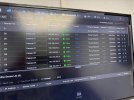
I will upload the menu from NVR so they can show it online.

So please anyone have same issues with this NVR ..


Regards Nick
 

Attachments

  • IMG-20251024-WA0012.jpg
    IMG-20251024-WA0012.jpg
    204.6 KB · Views: 55
Hi @NickSM ...

When we turned on the NVR, it wouldn't display any camera live on the monitor

Clearly, everything looks good on that "Devices" page... can you post a picture of the "Live View" page:

IMG-20251024-WA0012.jpg


Also, if you can log into the NVR web GUI using a browser, can you post screenshots of the "Menu Output" and "Live View Configuration" screens:

Screenshot 2025-10-24 180450.png
Screenshot 2025-10-24 180417.png
 
Hi @NickSM ...


Clearly, everything looks good on that "Devices" page... can you post a picture of the "Live View" page:

View attachment 13330


Also, if you can log into the NVR web GUI using a browser, can you post screenshots of the "Menu Output" and "Live View Configuration" screens:

View attachment 13334 View attachment 13333
Morning @johnfitzy
Thank you for quick respond literally the NVR are plug and play configure ,
Output mode it was auto ,Then I change to HDMI and reboot the NVR, Seems same issue
Live View Configuration I didn't check it was late last night tired raining and wet , should display straightway on monitor to be honest , Maybe any glitch etc
Anyway I will go this morning and have look again and I will upload screenshot from Live View configuration ,

John thank you so much for you knowledge and your time much appreciate mate,
Regard Nick

 
It's likely you need to configure the Liveview page by adding what cameras you want displayed to each "box".
Thank you @murcod ,
Yeah maybe , As we sad with John should display straightway on monitor to be honest , Maybe any glitch etc
We see this morning and I will let your guys know ,Never happened to me before ,But never know
Thanx again
 
Hi John.
You were right
I have to go to the NVR main menu, "Menu Exit" and "Live View Configuration" and add the cameras one by one,

I thought they are factory default,

Thank you very much, have a nice weekend

Regards, Nick
 

Attachments

  • 20251025_143343.jpg
    20251025_143343.jpg
    1.6 MB · Views: 50
  • 20251025_114742.jpg
    20251025_114742.jpg
    278.3 KB · Views: 53
Back
Top