01304 827609 info@use-ip.co.uk Find us

Disabling 2nd HDD

bchong

Member
Messages
7
Points
3
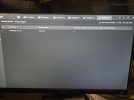
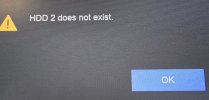
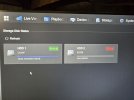
My Hikvision NVR is beeping constantly due to an error on the second HDD, which is faulty. I have completely removed the SATA cable and cleared the exceptions, but the beeping and error message persist. I can't find a setting to disable the second HDR. Please can someone help? Thank you.

Please see pictures uploaded.

Hikvision NVR: DS-7608NI-M2
Firmware: V5.04.066

1000129217.jpg
1000129218.jpg
1000129246.jpg
1000129247.jpg
 

Attachments

  • 20250923_175206.jpg
    20250923_175206.jpg
    3.8 MB · Views: 50
  • 20250923_181725.jpg
    20250923_181725.jpg
    3.9 MB · Views: 49
  • 20250924_093343.jpg
    20250924_093343.jpg
    2.6 MB · Views: 44
  • 20250924_093854.jpg
    20250924_093854.jpg
    2.3 MB · Views: 44
You might need to reconnect it temporarily. Tick the box at the left hand side, click the icon beneath 'operation' to unload the disk and then you should be able to delete it. If you can't do that now you'll need to put the faulty disk or another disk in briefly. Only when you've unloaded and deleted the disk should you remove the cables.

You can stop the beeping by disabling the buzzer completely from the maintenance menu. Alternatively:

System Settings > Exception > Main Type Exception - Select 'HDD Exception' then in the right hand drop down select each HDD exception, turn off the Buzzer switch and Save.
 
Back
Top