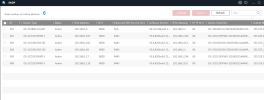
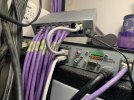
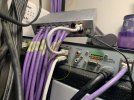
1) previously only the 3 ports were used on the NVR for the 3 cameras connected directly. In the picture one of the additional cables was into the laptop for the SADP tool
ok, we are on the same page.
2) there is only one cable that runs from the yellow Vodafone port to that end of the house (it’s probably a 30m run) and so previously the cable from the yellow Vodafone port connected into the switch and then there was a cable from the switch into the LAN port. This was always the set up and that had worked fine for the last 8 years or so.
I think this is precisely where we want to get back to.
It was only this afternoon that I plugged the Vodafone yellow cable directly into the NVR LAN port (and then needed a cable from one of the POE ports into the switch to power the Ethernet ports around the house. It was at this point that on the HIK connect app that the NVR showed as online and 3 cameras became viewable.
As I said in my earlier post, that RED marked cable I highlighted must be removed. I'm not proficient enough in HIK-Connect to comment on it's behavior. I'm just trying to get your networks working. If your networks work correctly, then HIK-Connect should fall into place.
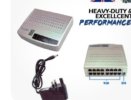
3) as above, the Vodafone yellow port cable is (and always was) plugged into the media cupboard switch. I will double check the make / model (I’m not in a fit state to climb into the cupboard at the moment so will need someone’s assistance) but attached is a screenshot of the listing from when I bought it
ok, we are on the same page. If I know the make & model I can look up the specs & confirm there isn't other BS going on in the switch that I'm not anticipating.
4) the red port on the Vodafone router is the cable that travels down to the garage that goes directly into the external POE switch. I vaguely remember this was the only port that would get the switch to work and there were, previously, no other spare ports to use. But again, once the other half is home I will get help moving that across if you think that would help. The connection into the router from the wall socket is via the DSL cable
the initial problem, as I understood it, the NVR wasn't seeing the 5 cameras. The 5 cameras are connected to the RED port. The NVR was connected via a switch to the YELLOW port.
SO........ is the Vodafone isolating multicast broadcast traffic, such that all IP traffic is not flowing between the YELLOW & RED ports and vice versa ????
This is the mystery question. If I had the unit in my hands, give me 5 minutes and I'd know.... but I don't have that unit in house. Thus I'm attempting to have you NOT use the RED port and only use the YELLOW ports on the Vodafone...... and see what changes, if anything.
If nothing improves, then my next thought is the media cupboard switch is just too slow in forwarding IP traffic..... but I don't wish to go there yet.
So, if I’m correct, the only thing that needs to be done differently is the moving of the cable in the red port?
Correct, move the cable from the RED / WAN port to an empty YELLOW port...... plus one other thing....... you need to get rid of that extra cable I highlighted in RED in the earlier pic.
But as that is just the connection down to the garage and has always worked before, I’m confused as to why it would cause an issue now?
you swapped out the router for a new router, didn't you ? Did the old router behave differently ? I don't know. That's what I/we are trying to figure out.





 !
!