01304 827609 info@use-ip.co.uk Find us

Hikconnect issues / VCAs

badayuni92

Active Member
Messages
42
Points
8
Hi everyone,

I hope you are doing well. I have recently upgraded some of my cameras to the new G3, 8mp cameras as well as my NVR to the M series.

I was wondering if anyone would be kind enough to give me a bit of help please.

Current set Up

2 X 8MP Hikvision DS-2CD2387G3-LI2UY
2 x 4MP Hikvision DS-2CD2347G2
NVR - Hikvision DS-7608NI-M2/8P

Broadband connection is provided by Virgin Media

1 gig download
100mbps upload
Ping averages about 30 milliseconds
Ping'd the NVR and the max it takes is 18 milliseconds

My NVR is hardwired to my Orbi Mesh 7700 router, the Virgin Media modem, is in modem mode.

Camera settings

2 X 8MP Hikvision DS-2CD2387G3-LI2UY

Picture quality: Highest
Resolution: 3840 x 2160
FPS: 25
Variable Bitrate
Bitrate: 12meg

My 4mp cameras have the same settings just with the lower 4mp resolution and an 8 meg bitrate

My questions are:

I am getting choppy playback on Hikconnect whether it is in the live view, playback of smart events or just normal playback. General on the basic stream it is okay. This is specifically for the HD stream, i have noticed these symptoms happen when i am both on my home WI-FI and on my 5G connection away from the house.

I have turned encryption off in the app, i know i probably shouldn't but if a hacker wants to keep an eye on my house, that's fine by me!

The main stream and event stream settings match exactly.

Is there anything i can do to improve performance in Hik-Connect, i need it for the push notifications. Or is this just Hik-Connect not being able to deal with the sreaming in HD for my set up?

The second question is around VCA's i am using Intrusion detection as that works the best for monitoring my property.

Is it better to set this up via the camera or the NVR. I believe both my cameras and NVR have acusense?

I have set them up using the NVR via a monitor. Is there any benefit to doing it via the camera directy? WIll i notice ay benefit in performance? If so do i turn of intrusion detection in the NVR and then set it up on the camera directly? How do it in a way that the NVR and cameras are not duplicating.

As a side question on these new 3.0 colurvu cameras is anyone able to comment on if the auto exposure works? And if the auto WDR works. I honestly can not tell. But i like the idea of the camera doing the processing and adjusting the settings accordingly.

Apologies for the long post, i appreciate any help that anyone can offer me

Thank you
 
Apologies i should have said i am using the latest Hik COnnect app on an Iphone 16 pro and an iphone 14 pro
 
Choppy HC streaming. Could be multiple things:

- Start by dropping the quality on the main stream from Highest to Higher. You won't notice the difference in the image but it might help as Highest is increasing the I Frame size and it will be breaking out of your 12 Mbps bit rate cap. If image quality is the primary goal then you may be better with Constant Bit Rate and H264.

- In System Config > Network > Hik-Connect > More. Make sure that 'adaptive bit rate streaming' is turned off.

- Add another site to your Hik-Connect app called Backup and add the NVR using its local IP address, server port and admin password. That'll only work when you're on your home WiFi but because it's a direct connection, you'll see the native stream across your LAN without any management from the Hik-Connect service. Comparing the stream might indicate whether the issue is with the Hik-Connect service/your devices connection to it.

I use the Hik-Connect service as it's required in order to get the push notifications. However a direct connection using local IP address for home or your VM external IP address combined with port forwarding in your Orbi will likely give you better results. But as we all know, port forwarding is considered a security risk.

Event Setup:

- Your NVR can handle events from AcuSense cameras but is not an AcuSense NVR. The AcuSense NVRs are NXI not NI models. If you did have an NXI there would be a choice between using the cameras AcuSense processing or that of the NVR; the answer would be to always use the cameras processing. However....

- If you mean "should I set up my intrusion detection using the NVRs interface or the cameras interface" - the answer is the same for setup in general. Do all setup using the NVR interface (which saves the settings on the camera). Only alter settings directly in the camera interface directly if it's something that isn't available in the NVR interface. Sometimes that might be things like Target Validity or Min/Max target sizes. Setting it all up directly in the camera will work but the NVR interface doesn't immediately update to show the altered parameters so can cause confusion/mistakes to be made.

Auto Exposure:

That definitely works on the G3. Exposure is usually always Auto to some extent. On the previous generation when you select for instance 1/50s exposure time, that's the longest exposure the camera will allow (useful for control of motion blur). It will always go shorter, right up to the fastest speed supported by the camera, otherwise the camera would just 'white out' in daylight. On the G3 you have better control as 'Auto' allows you to set a highest and shortest exposure time limit and the camera won't go beyond those limits. In reality I can't think why you would want to cap the shortest exposure time as the camera could white out in bright light if it's not set fast enough. Manual exposure would only be of use perhaps in an internal installation and in a position where the light level in the scene will never alter (otherwise the image would constantly white out when theres too much light for the setting or black out when theres not enough)

Auto WDR:

I've not seen any major issues with it but my G3 is mounted very low and when my white car is in front of it the Auto WDR kicks in unnecessarily.
 
@JB1970

Thank you for the comprehensive answer, I’m really grateful. I’ve read a lot of your posts and you are a true master of your trade.

A couple of follow questions if you don’t mind.

The newish M series doesn’t have an NXI model that I can find? Is there one?

If not what is an equivalent acusense NVR? That has a powerful processor as well as higher then 80mbps of incoming bandwidth.

What are the advantages then of having both an Acusense nvr and Acusense cameras?

In terms of adding my nvr in hik connect via its local ip. I’m getting an error.

I’ve used these parameters.

Address: ip of the nvr
Port: 8000
Username: for the nvr
Password: for the nvr

I’m getting a connection failed message.

Yeah I’m not a fan of port forwarding as I’m opening myself up to hackers.

I’ve done some more testing, playback via the settings I originally posted in the nvr is spot on. It’s smooth and how I would expect it to be.

The issue is solely with hik connect now. My sole aim is as best video quality as possible for ID purposes so I don’t want to start dropping the quality.

For now I’ve changed to h264 and dropped down to higher picture quality.

I’ll see how that goes for a few days.

Thanks for your help
 
@JB1970

Thank you for the comprehensive answer, I’m really grateful. I’ve read a lot of your posts and you are a true master of your trade.

A couple of follow questions if you don’t mind.

The newish M series doesn’t have an NXI model that I can find? Is there one? Also given the M series is an entry level NVR, does it have enough processing power for high resolution and high bitrates? The spec sheet suggests it does.

If it doesn’t have enough processing power what is an equivalent acusense NVR? That has a powerful processor as well as higher then 80mbps of incoming bandwidth.

What are the advantages then of having both an Acusense nvr and Acusense cameras?

In terms of adding my nvr in hik connect via its local ip. I’m getting an error.

I’ve used these parameters.

Address: ip of the nvr
Port: 8000
Username: for the nvr
Password: for the nvr

I’m getting a connection failed message.

Yeah I’m not a fan of port forwarding as I’m opening myself up to hackers.

I’ve done some more testing, playback via the settings I originally posted in the nvr is spot on. It’s smooth and how I would expect it to be.

The issue is solely with hik connect now. My sole aim is as best video quality as possible for ID purposes so I don’t want to start dropping the quality.

For now I’ve changed to h264 and i
 
The newish M series doesn’t have an NXI model that I can find? Is there one? Also given the M series is an entry level NVR, does it have enough processing power for high resolution and high bitrates? The spec sheet suggests it does.
M series only has NXI model in some countries. It’s not an entry level NVR as it’s in Hikvisions ‘Ultra’ range and definitely can cope with high resolution, high bitrate.
If it doesn’t have enough processing power what is an equivalent acusense NVR? That has a powerful processor as well as higher then 80mbps of incoming bandwidth.
You can get an NXI- I model for the same price as the M. Any 16 channel model will have 160Mbps incoming bandwidth. There’s also the iDS models. I’ve not used them but that would be a step up from the NI- M
What are the advantages then of having both an Acusense nvr and Acusense cameras?
Adding AcuSense to older cameras if you have a mix of old/new cameras, some facial recognition features, AcuSearch is available on the NXI (search for a specific person)
In terms of adding my nvr in hik connect via its local ip. I’m getting an error.
‘Connection failed’ means it didn’t get as far as submitting a username password as there was no connection. Wrong IP or port number, or a space in the IP address (android phones sometimes auto enter a space after the dot) Alternatively the app doesn’t have ‘access to local network’ in the phone settings.
My sole aim is as best video quality as possible for ID purposes so I don’t want to start dropping the quality.
Then CBR is better. There are very small delays between the camera detecting motion and the VBR ramping up the bit rate. That can cause an issue when a person looks transparent in playback and you’re able to see something that they’re in front of (particularly noticeable in low light playback)
 
@JB1970

Thanks a lot again for taking the time to reply to my post.

Ah okay, I’d assumed it was just an entry level nvr. I don’t necessarily need face search etc. all my cameras have acusense in built. Since I only use smart events, intrusion detection and line crossing I don’t think I’ll benefit from going for the NXI-I

I’ve done some further testing and my symptoms are extremely strange. I reduced the picture quality to medium, bitrate to 4meg and fps down to 15. I rebooted the nvr and then for about an hour or so hik connect ran like a dream. Perfect playback on everything including events. After an hour though all the same symptoms returned.

I decided then to remove my Orbi 7700 from my network. The set up then being Virgin Media in router and modem mode. Nvr hard wired to the gigabit port on the virgin router.

I left the settings in low and all appeared well. I then moved back to 16meg bitrate, high picture quality 25fps. Again all seemed well for a couple of hours. Now I’m back to the same symptoms, I’ve dropped the settings down again, rebooted the nvr and still seeing the choppy footage.

I just can’t understand where the issue lies. I’ve done tracert’s, ping test to the nvr and everything looks great. I’m suspecting there is something going at isp level that’s causing it to happen. I can’t exactly see what

Have you got any other suggestions or ideas please.

Thank you again.
 
@JB1970

I’ve managed to add my nvr locally to hik connect via its ip address. You were right, I hadn’t granted hik connect access to my local network.

Footage so far on live view seems smooth and how it should be. Assuming it stays this way that I guess rules out problems with my own network. Do you have any ideas what I need to focus on in hik connect to getting working properly

Thanks
 
@JB1970

I’ve managed to add my nvr locally to hik connect via its ip address. You were right, I hadn’t granted hik connect access to my local network.

Footage so far on live view seems smooth and how it should be. Assuming it stays this way that I guess rules out problems with my own network. Do you have any ideas what I need to focus on in hik connect to getting working properly

Thanks
What you’re experiencing may be completely normal, though it’s difficult to say without seeing a video clip. I’m also on a Virgin Media connection, in modem mode, using a Ubiquiti UniFi router. I’m away for a short holiday in Portugal and can currently view my live and recorded footage fine from here on 5G (my watch tells me I’ve left my car 1,281.7 miles away!). I do get a stutter once per second from the I frame while watching the HD stream in Hik-Connect but don’t see that as an issue. There is a ‘smooth streaming’ setting in the NVR but I think that’s on by default. The only other thing that I can think of that creates larger I frames and that periodic stutter (other than the compression quality setting when using VBR) is the slider for Clear/Smooth when looking at the camera settings directly on the camera. The default is 50 but if you’ve altered it, the lower the number, the larger the I frames size (that can cause a noticeable stutter following the I frame interval)
 
@JB1970

I’m still having the stuttering playback in Hik-Connect. I’ve decided to let my virgin router do all the routing and assigning ip addresses and I’m running my Orbi 7700 just as wireless access points with all my satellites hard wired using Ethernet backhaul.

I’ve noticed a significant improvement in performance. When I use these settings:

8192 bitrate
Vbr
25fps
Picture quality higher

Hikcknnect playback is perfect.

However when I increase the bitrate to anything above 8192 the stuttering starts. I just can’t understand why that is happening.

I’m running 2 x 4k cameras and 2 x 2k cameras on my m series nvr.

My virgin broadband connection is 1 gig down 100mbps up.

It seems like something can’t handle the extra bit rate.

That said will I see any benefit increasing the bitrate? The 2 x 4k cameras record my front door and drive. They’re quite busy scenes particularly one of the cameras that has some of its fov covering a very busy road.
 
They’re quite busy scenes particularly one of the cameras that has some of its fov covering a very busy road.
VBR isn't perhaps the best choice when a cameras is covering a busy road, CBR would be better.

Rather than altering both cameras, only make changes to one of them so that you can compare results.
 
VBR isn't perhaps the best choice when a cameras is covering a busy road, CBR would be better.

Rather than altering both cameras, only make changes to one of them so that you can compare results.
Thanks I’ll give that a go one camera at a time.

Do you have any suggestions at all what causes me the playback problems in Hik-Connect when I increase the bit rate above 8192. I assumed it could be a bandwidth issue but my m series nvr has more than enough supposed bandwidth to support the cameras I’m running. Which is just 2 x 2k cameras and 2 x 4 cameras.

As a side question can I run these cameras in NTSC and take advantage of 30fps.

I know ntsc isn’t a uk standard but is there any issues using? Compatibility or otherwise?

Thanks
 
Thanks I’ll give that a go one camera at a time.

As a side question can I run these cameras in NTSC and take advantage of 30fps.

I know ntsc isn’t a uk standard but is there any issues using? Compatibility or otherwise?

Thanks
There are no issues using NTSC. I ran it for a while on a couple of my cameras as it helped with some interference/banding I was experiencing from LED lights.
 
There are no issues using NTSC. I ran it for a while on a couple of my cameras as it helped with some interference/banding I was experiencing from LED lights.
@JB1970

thanks so much for your replies.

Is there a way you can record smart events in a different resolution to 24/7 recording on my m series 8 channel nvr?

Thanks
 
@JB1970

thanks so much for your replies.

Is there a way you can record smart events in a different resolution to 24/7 recording on my m series 8 channel nvr?

Thanks
No it's not possible to alter the resolution or encoding. It is possible (but not recommended) to have a different frame rate and bit rate for the Event Stream
 
@JB1970

Sorry I’ve got another few questions about wdr on the g3 4k hik cameras. I think I’ve wrongly assumed that when wdr is in auto mode and the slider at 50, the camera will automatically apply however much is needed between 1 and 50 to optimise the scene. That doesn’t seem to be the case.

If you see the attached images the washed out image is with wdr on and the image where the scene looks quite crisp is with wdr off.

Therefore I am best just to keep it off all the time?

Thanks
 

Attachments

  • IMG_3158.jpeg
    IMG_3158.jpeg
    971.2 KB · Views: 58
  • IMG_3157.jpeg
    IMG_3157.jpeg
    1,023.7 KB · Views: 57
@JB1970

Sorry I’ve got another few questions about wdr on the g3 4k hik cameras. I think I’ve wrongly assumed that when wdr is in auto mode and the slider at 50, the camera will automatically apply however much is needed between 1 and 50 to optimise the scene. That doesn’t seem to be the case.

If you see the attached images the washed out image is with wdr on and the image where the scene looks quite crisp is with wdr off.

Therefore I am best just to keep it off all the time?

Thanks
The 4MP versions I have use a different firmware to the 8MP ones. I've left Auto WDR on and it does not apply it all of the time, so I'm not sure why it is on yours. Perhaps leave it on and check footage when the car is not there. When mine is parked in front of the camera the WDR kicks in and brightens the image. Nothing that's 'auto' will ever be perfect as your relying on the camera to interpret what's in the scene and adjust itself accordingly.
 
Thanks @JB1970

That makes sense. I’ve tried as well when neither of my cars are there and it’s still the same, everything looks quite washed out.

I’m leaving it off for now, I’ll see how that affects the night time image, especially when the street lights come on.

I’ve been looking at the hik bitrate calculator. For 8mp, 25fps, h265 apparently 8192 kbps is enough.

My scene id say is busy because of the main road. Is that bitrate high enough. In my untrained eye when ramp up the bitrate to 16meg I can’t see any difference at all in quality.

How does bitrate improve quality and how do you tell it’s improved quality.

Thanks for answering all my amateur questions.
 
I’ve been looking at the hik bitrate calculator. For 8mp, 25fps, h265 apparently 8192 kbps is enough.
The bit rate calculator will be based on an average scene, whatever 'average' is. It's just a guideline. When using the storage calculator rather than the recommended bitrate document, there's a setting for scene complexity of medium and high that affects the recommended bit rate but it is still a best guess.
My scene id say is busy because of the main road. Is that bitrate high enough. In my untrained eye when ramp up the bitrate to 16meg I can’t see any difference at all in quality.
The bit rate you have should be fine. Even if that road was at full flow with constant movement, it only occupies about 15% of the screen. In between I frames the camera is only encoding changed pixels.
How does bitrate improve quality and how do you tell its improved quality.
I'm really over simplifying it, but the higher the bit rate, the less the image is compressed. If you were to listen to an MP3 compressed audio track at 320 kbps you'd struggle to tell the difference between the encoded audio and playing a physical CD (remember those shiny discs). However, listen to the same track at 32 kbps and it'll sound an awful squelchy mess. The lower the bit rate used to encode audio or video, the higher the compression needed to keep the media within the defined bit rate and therefore the more data that is discarded. The compression tools used by H264 and H265 reduce bit rate requirements by discarding image data that should be invisible to the human eye. However setting quality to 'highest' and maxing out the bit rate is not necessarily going to give you a better image and could create more issues.

I mentioned earlier using CBR rather than VBR. You will only really notice differences in image quality by reviewing recorded footage and pausing the video looking at stills (unless your settings are way out). Pause your video as someone is walking in front of that tree/parked car out front on a night (after midnight) when using H265 VBR. Change the settings to try CBR or H264 and CBR (with an appropriate bit rate set) and repeat the test; I'd be surprised if you don't see an improvement.
 
@JB1970

Thanks a lot for answering my questions. That makes sense to me.

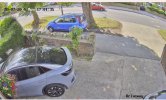
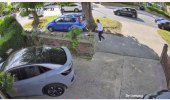
I’ll give those a try. I’m attaching some images of my scenes using what I think are the best settings. Do you think anything could be improved?

The issue I’ve noticed, well not really an issue. Fine tuning say the contrast and sharpness in the day, makes the image look poor at night. I get it’s all about finding the balance.

Any suggestions you have to improve would be appreciated. These are 2 different camera, one lower down covering the front door and identification of people walking to the front door. The other higher up capturing people as they come from either the main road or drive on to my property

Thanks a lot
 

Attachments

  • IMG_3179.jpeg
    IMG_3179.jpeg
    3.2 MB · Views: 49
  • IMG_3181.jpeg
    IMG_3181.jpeg
    3.3 MB · Views: 55
Back
Top