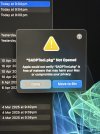
Dan, It's been a while! I hope this mesage finds you well.
I am trying to add one of your Hik cameras-what a bind. I've replaced my Mac and can't get IVMS to work. I just want to add one cam at this stage. My NVR (DS-7616NII2-16P) can cope with 16 cams, so there's a long way to go from the 3/4 that I have. The three that are operational are perfect. I just want to add in the last cam. But, that one is not directly connected to the NVR, but in a separate building, and on a separate (wired) lan from my router. I've got a static IP to my house. And have set static IPs to the extant 3 cams.
It seems Hik doesn't make it easy to maintain their kit. Or maybe it's just me!
I tried to use HIKPro. But cannot recall the password for the NVR (if that's what they want). It's not too clear to me, what PW is/are required. And I've only got five more goes on that platform, before I'm locked out. So:
1. Is there a hik password manager/strategy to aid simplification and/or a reset of all those passwords?
2. Is there a simpler way to access/configure my kit without buying a PC?
3. Batch config tool?
4. I have a monitor directly attached to my NVR
5. I'd really appreciate a summary of what tools I need to maintain and expand my kit
Dan, I'm sorry to lean on you like this. I've been through a very difficult few years, but am now moving on.