I have uhd colour vu cameras with 2 way audio. On playback it’s hard to hear what people are saying as the sound of the birds wind and cars passing on the bridge at the back! Of my house is very loud there is no rd to the front. Is there a way to lower background noise?

Navigation
Install the app
How to install the app on iOS
Follow along with the video below to see how to install our site as a web app on your home screen.
Note: This feature may not be available in some browsers.
More options
You are using an out of date browser. It may not display this or other websites correctly.
You should upgrade or use an alternative browser.
You should upgrade or use an alternative browser.
Background noise help
- Thread starter Kilojade
- Start date

- Thread starter
- #2
this is my system
Hikvision DS-7616NI-M2/16P 16-channel 8K M-Series
Network Video Recorder
3
Hikvision DS-2CD2387G2-LSU/SL 8MP ColorVu
Network Turret Camera With Live Guard
[Focal Length: 2.8mm]
3
Hikvision DS-2CD2387G2-LSU/SL 8MP ColorVu
Network Turret Camera With Live Guard
[Focal Length: 4mm]
Hikvision DS-7616NI-M2/16P 16-channel 8K M-Series
Network Video Recorder
3
Hikvision DS-2CD2387G2-LSU/SL 8MP ColorVu
Network Turret Camera With Live Guard
[Focal Length: 2.8mm]
3
Hikvision DS-2CD2387G2-LSU/SL 8MP ColorVu
Network Turret Camera With Live Guard
[Focal Length: 4mm]

- Messages
- 4,119
- Points
- 113
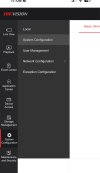
You need to to turn on 'Environmental Noise Filtering' on the cameras. You cannot access the setting via the NVR; you need to do it directly on the camera using Virtual Host. It's in Configuration > Video/Audio > Audio as shown below:Been looking for hours no option for microphone. Had a Google and seems like some devices just don’t have this feature. And that must be my device
- Thread starter
- #5
It doesn’t have any audio settings anywhere mateYou need to to turn on 'Environmental Noise Filtering' on the cameras. You cannot access the setting via the NVR; you need to do it directly on the camera using Virtual Host. It's in Configuration > Video/Audio > Audio as shown below:
View attachment 12949
- Thread starter
- #8
Oh I assumed virtual host was by logging into the nvr via the ip address?"You cannot access the setting via the NVR; you need to do it directly on the camera using Virtual Host."
- Messages
- 4,119
- Points
- 113
No. If Virtual Host is enabled, it allows you to access the cameras menus using the NVR IP address appended by the port number. For example if you want to access Camera 3 it would be http://your NVR IP address:65003, camera 2 would end 65002 etc. For that to work Virtual Host needs to be turned on. On your NVRs web menu that's at:Oh I assumed virtual host was by logging into the nvr via the ip address?
Device Access > Device > Video Device > More > Virtual Host Configuration
Check that is on (it is not by default) and turn it on if necessary before trying the above.
- Thread starter
- #10
Top man! Never knew that and just done it! Thanks a lot mate. Have turned it on. Hopefully it’s better. Volume was on 60%No. If Virtual Host is enabled, it allows you to access the cameras menus using the NVR IP address appended by the port number. For example if you want to access Camera 3 it would be http://your NVR IP address:65003, camera 2 would end 65002 etc. For that to work Virtual Host needs to be turned on. On your NVRs web menu that's at:
Device Access > Device > Video Device > More > Virtual Host Configuration
Check that is on (it is not by default) and turn it on if necessary before trying the above.
- Messages
- 4,119
- Points
- 113
Rebooting the NVR won't make a difference - the changes are saved instantly when you make them on the camera.Just went on it doesn’t seem like it’s made a different but will reboot nvr and see if any changes
Environmental Noise Filter will reduce wind noise and helps a bit with traffic noise. The background noise needs to reach a higher level before it can be heard. For instance, passing cars will be closer before they're picked up by the mic. It won't make a difference to bird noise though. Altering the mic level will increase and decrease the level of what you hear from the camera regardless of what is being picked up.
Similar threads
- Replies
- 0
- Views
- 237

- Replies
- 15
- Views
- 3K